Building Piton
Solo build Personal Apr – Jun 2026 · App Store
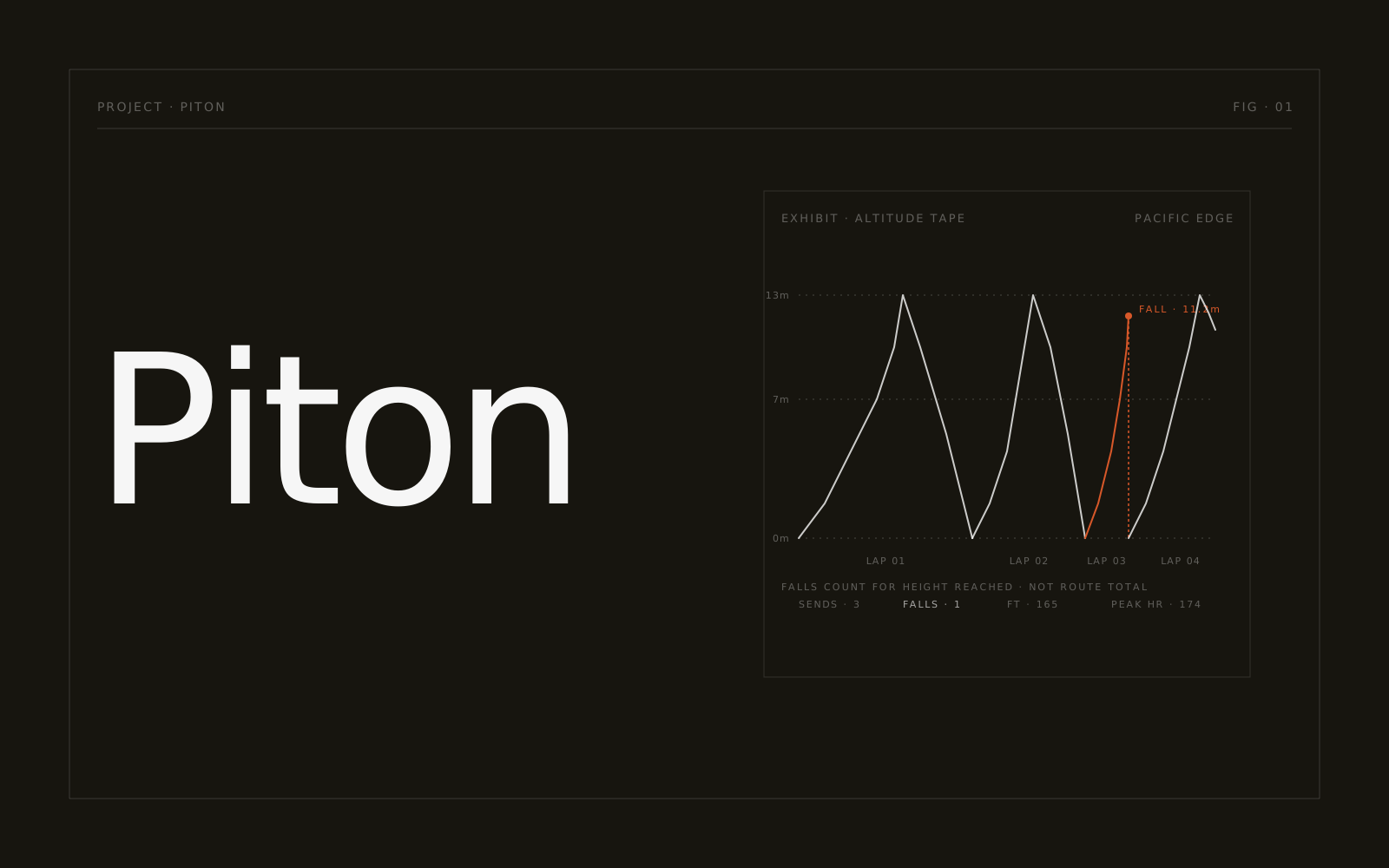
Piton is a climbing tracker for the Apple Watch and iPhone that I built for myself. I started it because every climbing app I tried treats a failed attempt like a bug to hide, when the failed attempts were exactly the thing I wanted to keep. It’s on the App Store now as "Piton Climbing".
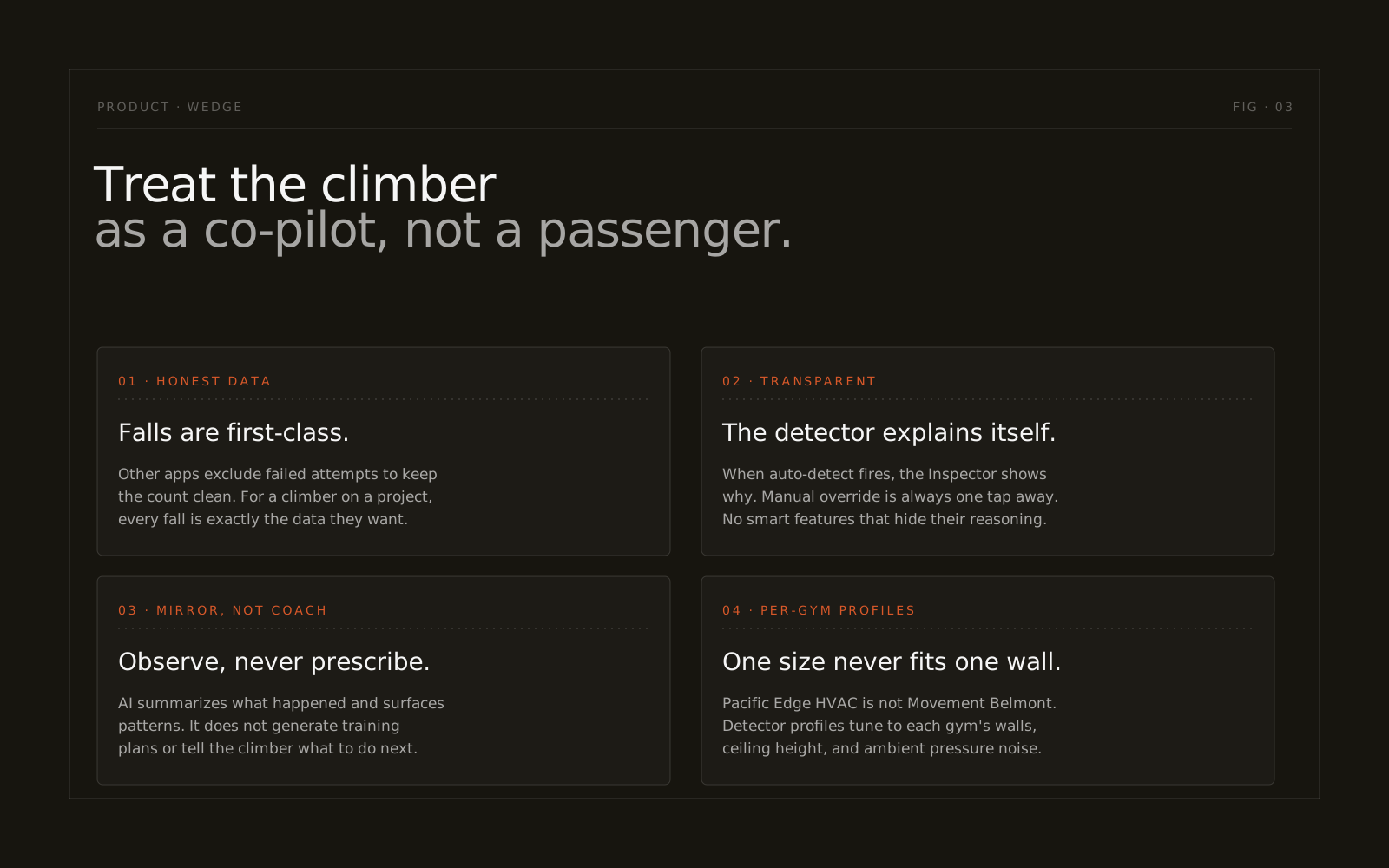
The idea is to keep the climber in charge of the judgment calls. The apps I’d been using each do one thing well. KAYA is a logbook, Redpoint counts meters, Crimpd hands you a training plan. But they all blur two questions that really deserve separate answers: how am I training, and am I actually getting closer to sending this project? Piton tries to answer both, honestly, each in its own place.
A few decisions follow from that. Failed attempts are treated as real data, not noise. The auto-detection is transparent and adjustable: when it logs a lap, the Inspector shows you why, and you can override it with a single tap. Wearing a harness with a chest strap is supported rather than assumed to be a mistake. And the detector keeps a separate profile for each gym, because the HVAC at Pacific Edge isn’t the HVAC at Movement Belmont, and one-size-fits-all altitude detection just produces sloppy laps.
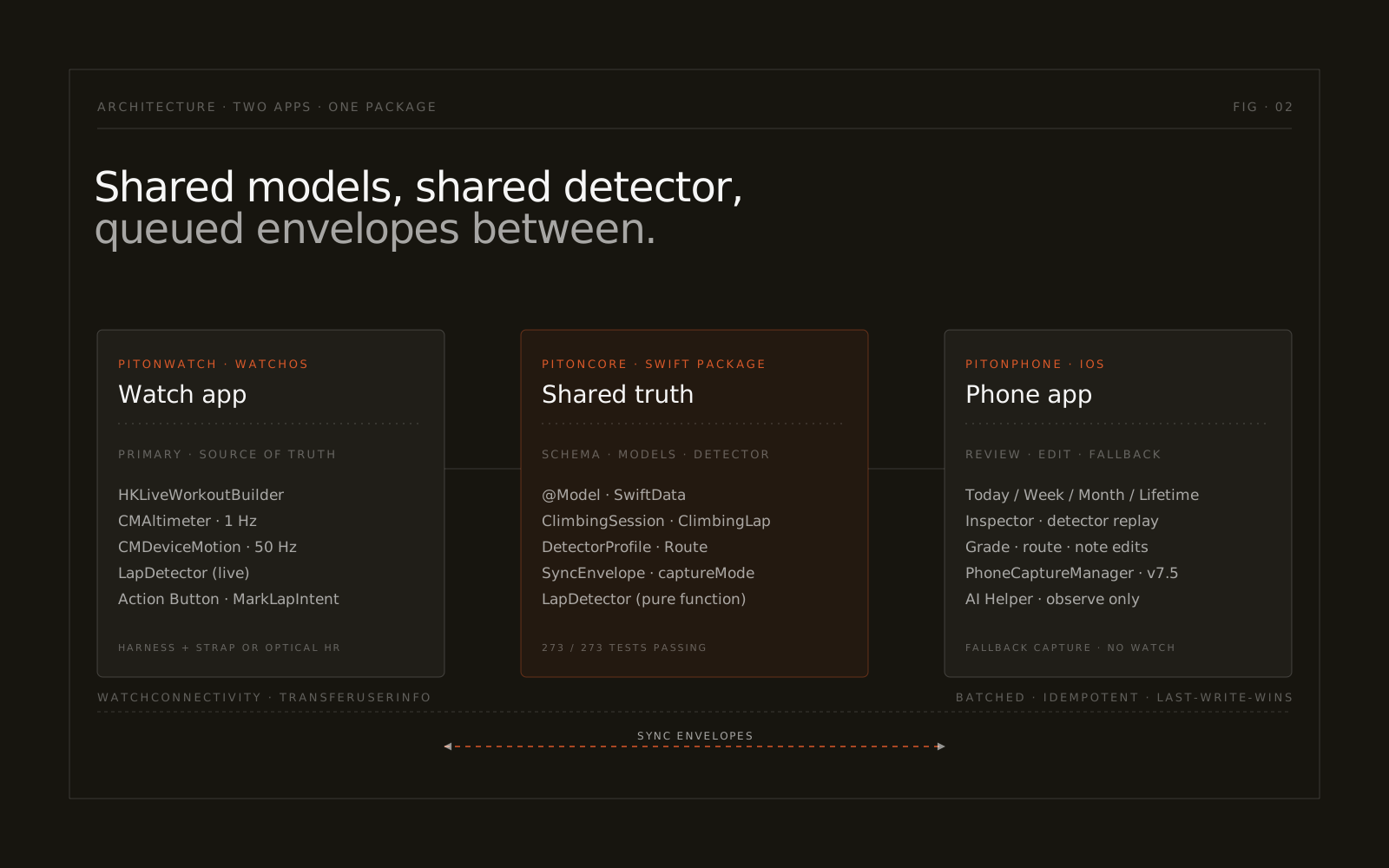
Under the hood it’s two apps sharing one Swift package. PitonCore holds the SwiftData schema, the sync envelope types, and the detector itself, a pure function that takes sensor samples plus a gym profile and returns detected laps. That same code runs live on the watch and against replayed sessions in the phone’s Inspector. The watch is the source of truth. The phone is there for the day you forget it or run the battery flat, and anything it captures gets stamped captureMode = .phone so the metrics never lie about where they came from.
Sync between the two is batched WatchConnectivity envelopes sent through transferUserInfo, rather than firing per-record sendMessage in a loop. That one choice saved me weeks of "messages dropped while the phone was locked" debugging. Conflicts resolve last-write-wins on updatedAt. Edits I make on the phone, like grade tags, route assignments, and notes, flow back to the watch the next time it’s reachable, with a 60-second cooldown on the reachability handler so it doesn’t flap.
The detector is a state machine in that package, running over a 1 Hz altimeter feed and 50 Hz device motion: enter, climb, top, descend, with the hysteresis tuned per gym. A couple of sprints in, I learned the hard way that the watchOS crown press is a system gesture you can’t intercept from app code, so the watch grade picker ended up with an explicit Set button instead of trying to be clever about it. I also had to cut bouldering auto-detect from v1. Boulder problems are too short for the state machine to tell a top from a fall, and the failure mode there is silent, wrong data, which is the worst kind.
The AI is deliberately narrow. Coach’s Notes and the weekly and monthly synopses describe what happened in a session; they never tell you what to do about it. It all runs on the phone with Apple Intelligence, so there’s no API key and nothing leaves the device. That line is written into the prompt, the system messages, and even the fallback copy. Serious climbers are openly skeptical of AI training advice, and the climbing press has said as much, so trying to play coach is the fastest way to lose them. “Here’s what stood out this week” is fair game. "You should do X" isn’t. The activity rings on the watch were my reference point: they tell you what you did and leave the rest to you.
The phone’s information architecture fell apart in May, which turned out to be the best thing that happened to it. The four-tab structure I’d started with was just wrong. Piton really only has one subject, your climbing data, and the thing that changes is the time scale you view it through. So Today / Week / Month / Lifetime became a single screen with a time toggle, and the old Projects, Climbs, Stats, and Trips tabs each dissolved into whichever scale they belonged in. Today is meant to be a quick status check, so it leads with numbers. The altitude graph is interesting but not something you glance at, so I moved it into session detail on purpose.
Where it stands now: it’s on version 1.2. The first submission got bounced. Apple’s keyword filter rejected the word "Apple" inside my MarkLapIntent description (ITMS-90626), which it flags even in "Apple Watch," so I rephrased it and sent it back.
Honestly, the most interesting work was deciding what to leave out: no bouldering auto-detect, no outdoor route database, no iCloud sync, no social feed, no leaderboards, no AI telling you how to train.
I’ve come to think a climbing app should be a mirror, not a lever. Show me my training honestly enough that I can decide what to do next, then get out of the way. The ones that try to decide for me are the ones I keep deleting.
Tags
- iOS The device people actually carry. No second screen.
- watchOS Glanceable and sensor-rich. The most under-appreciated platform Apple ships.
- SwiftUI Declarative UI for Apple platforms. The right level of abstraction for shipping fast.
- Apple Watch Small screen, short attention, sensors that don’t lie.
- Applied AI Product Design Designing for models that are good, wrong, or weird. Often on the same screen. I care more about trustworthy and unobtrusive than flashy.
- Sensor Fusion Altimeter plus accelerometer plus gyro, combined into something that says what’s actually happening.
- Information Architecture The shape of the thing before the pixels. Get this wrong and nothing else lands.
- HealthKit Apple’s health data layer. Honest about consent, strict about storage.